Turn AI conversations into published posts
Publish your images and videos now, or schedule for later. Turn one piece of content into a consistent presence across every platform where your audience spends time.
Developer Docs
Publish, schedule, reply, and track results from ChatGPT, Claude, MCP, API, or your own app.


Trusted by creators, founders and developers






Integrates with the tools you already use



Connect your accounts once. Pick how you want to post. Mallary sends your content and shows you the results.
Open the Mallary dashboard. Add the social accounts you want to use. You can setup multiple profiles for each of your businesses in the dashboard.

Use the API,Claude, ChatGPT, MCP, dashboard, CLI, n8n, Make, or another tool you like to post and reply to your comments.
Post now or schedule for later. Check your views, likes, comments, and audience growth to see what works.

Publish your images and videos now, or schedule for later. Turn one piece of content into a consistent presence across every platform where your audience spends time.
Developer Docs
Boost your engagement and reach, reply to comments with the API, or use Mallary's AI-auto reply feature to put your growth on autopilot.
Learn moreCreate a different profile for each business you run. Add that business's social media accounts to its profile, so each brand stays easy to manage.
Manage every profile in your Mallary dashboard. Post from the dashboard, Claude, ChatGPT, MCP, API, and more.







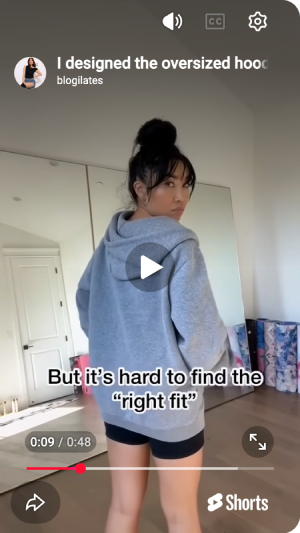
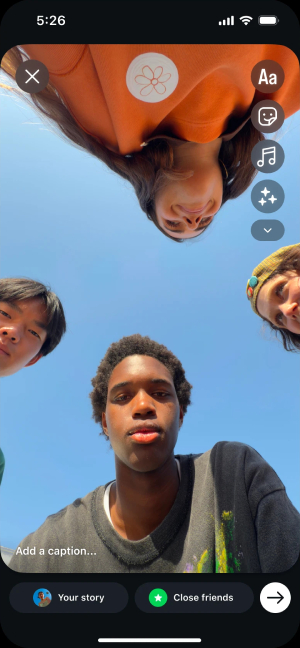
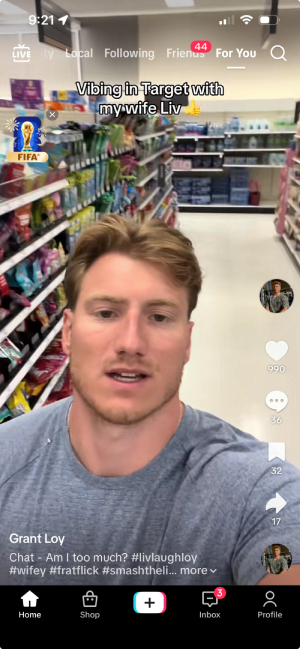
Post YouTube Shorts, real Instagram Stories, and TikTok photo carousels with trending music added automatically.
Add the 1st, 2nd and 3rd commments automatically and respond faster when viewers ask questions or show buying intent.
Learn moreSee views, likes, comments, engagement, top posts, and channel comparisons for each dashboard profile in one clear view.
Explore analyticsUse any AI tool, visual workflow, API, MCP, or CLI. They all work with the same Mallary account.
Connect accounts, schedule posts, and publish across 9 ready platforms.
Our unified social media API abstracts the chaos of Facebook, TikTok, Instagram and more into a single, reliable endpoint. Integrate 10 platforms in minutes and reduce development time by 90% with one clean, simple API.
fetch('https://mallary.ai/api/v1/post', {
  method: 'POST',
  headers: {
    'Authorization': 'Bearer YOUR_API_KEY',
    'Content-Type': 'application/json'
  },
  body: JSON.stringify({
    platforms: ["youtube", "facebook", "instagram"],
    message: "Check out our new product!",
    media: [{ url: "https://files.mallary.ai/launch-video.mp4" }],
    comments_under_post: ["comment 1", "comment 2", "comment 3"],
    auto_reply_enabled: true,
  })
})With our social media comments API you can retrieve and reply to comments from Facebook, Instagram, Threads, LinkedIn, X, YouTube, and Bluesky. One simple API to aggregate and respond to all your comments.
fetch('https://mallary.ai/api/v1/comments/reply', {
  method: 'POST',
  headers: {
    'Authorization': 'Bearer YOUR_API_KEY',
    'Content-Type': 'application/json'
  },
  body: JSON.stringify({
    post_id: 123,
    comment_id: 456,
    message: "Yes we sell hoodies, heres the link ...",
  })
})You don't even need to know what an API is. Just use your preferred tool, connect Mallary, and tell it what you want to post.
Add Mallary to Claude. Then ask Claude to post, reply, upload media, or check results.
Use Mallary with ClaudeAdd Mallary to ChatGPT. Then ask ChatGPT to post, reply, use images, or check results.
Use Mallary with ChatGPTPaste one setup prompt into Codex. Sign in, then tell it what you want to post.
Set up CodexPaste one setup prompt into Claude Code. Sign in, then tell it what you want to post.
Set up Claude CodeConnect Mallary to an AI tool that works with MCP. Then ask it to help with your social accounts.
Explore MCPPaste one setup prompt into OpenClaw. Sign in, then tell it what you want to post.
Set up OpenClawPaste one setup prompt into Hermes. Sign in, then tell it what you want to post.
Set up HermesBuild a visual workflow that posts content, uploads media, and handles comments for you.
Explore n8nBuild a visual workflow that connects Mallary to the other apps you use.
Explore MakePlan and publish social media posts from one dashboard. Reply to comments and track what works. Get all the same features as our API, with no code.
Open the dashboardMallary is fully audited and approved by Meta, Google, LinkedIn, TikTok and more. We use 100% official APIs, no browser bots or unofficial posting workarounds.
Mallary isn't just for humans. We provide native tools, skills, and protocols for autonomous agents and workflow automation platforms to manage your social presence.
Our API is designed with LLMs in mind. Predictable schemas, clear error messages, and unified payloads make it incredibly easy for agents to reason about and execute actions.
Native Model Context Protocol (MCP) support. Expose Mallary's posting, scheduling, and analytics capabilities directly to your custom AI agents as callable tools and skills.
Plug-and-play integrations for popular automation platforms. Build complex, multi-step social media workflows in n8n or Make.com without writing a single line of code.
Pick the AI tool you use. Follow three quick steps to connect Mallary and try your first command.
Create your Mallary account and connect the social accounts you want Claude to use.
Create Mallary accountOpen the Mallary connector page in Claude and follow Claude's steps to add it.
Add to ClaudeTell Claude "use Mallary to get a list of my latest social media posts"
Create your Mallary account and connect the social accounts you want Claude Code to use. You do not need to copy an API key.
Create Mallary accountPaste it into Claude Code. It will guide you through OAuth.
Set up Mallary for me in Claude Code.

1. Install the official Mallary CLI with `npm install -g @mallary/cli`.
2. Install the official Mallary agent skill for Claude Code with `npx skills add mallarylabs/mallary-agent --global --agent claude-code --yes`.
3. Run `mallary auth login`.
4. Show me only the Mallary sign-in URL and one-time code. Do not ask me for my Mallary password, API key, access token, or refresh token. Wait while I approve access in my browser.
5. After approval, run `mallary auth status`, `mallary health`, `mallary profiles list`, and `mallary platforms list`.
6. Tell me what you installed and whether the safe checks passed. Do not upload files, create or delete posts, reply to comments, change webhooks or settings, or disconnect accounts during setup. Later, only post or change Mallary when I clearly ask. If a needed detail is missing or unclear, ask one short question. Do not ask me to approve the same post twice. If the Mallary skill does not appear yet, tell me to restart Claude Code once.Claude Code will show a Mallary link and one-time code. Sign in once and approve Mallary access. No API key needs to be shared with the agent.
Create your Mallary account and connect the social accounts you want Cursor to use. You do not need to copy an API key.
Create Mallary accountOpen the command palette and choose Cursor Settings > Tools & MCPs > Add Custom MCP.
{
  "mcpServers": {
    "mallary": {
      "url": "https://mallary.ai/mcp"
    }
  }
}Click Connect in Cursor, then sign in to Mallary in your browser.
Ask Mallary to show my connected social accounts. Do not post anything.
Create your Mallary account and connect the social accounts you want Codex to use. You do not need to copy an API key.
Create Mallary accountPaste it into Codex. It will guide you through OAuth.
Set up Mallary for me in Codex.

1. Install the official Mallary CLI with `npm install -g @mallary/cli`.
2. Install the official Mallary agent skill for Codex with `npx skills add mallarylabs/mallary-agent --global --agent codex --yes`.
3. Run `mallary auth login`.
4. Show me only the Mallary sign-in URL and one-time code. Do not ask me for my Mallary password, API key, access token, or refresh token. Wait while I approve access in my browser.
5. After approval, run `mallary auth status`, `mallary health`, `mallary profiles list`, and `mallary platforms list`.
6. Tell me what you installed and whether the safe checks passed. Do not upload files, create or delete posts, reply to comments, change webhooks or settings, or disconnect accounts during setup. Later, only post or change Mallary when I clearly ask. If a needed detail is missing or unclear, ask one short question. Do not ask me to approve the same post twice. If the Mallary skill does not appear yet, tell me to restart Codex once.Codex will show a Mallary link and one-time code. Sign in once and approve Mallary access. No API key needs to be shared with the agent.
Create your Mallary account and connect the social accounts you want OpenClaw to use. You do not need to copy an API key.
Create Mallary accountPaste it into OpenClaw. It will guide you through OAuth.
Set up Mallary for me in OpenClaw.

1. Install the official Mallary CLI with `npm install -g @mallary/cli`.
2. Install the official Mallary agent skill with `npx skills add mallarylabs/mallary-agent`.
3. Run `mallary auth login`.
4. Show me only the Mallary sign-in URL and one-time code. Do not ask me for my Mallary password, API key, access token, or refresh token. Wait while I approve access in my browser.
5. After approval, run `mallary auth status`, `mallary health`, `mallary profiles list`, and `mallary platforms list`.
6. Tell me what you installed and whether the safe checks passed. Do not upload files, create or delete posts, reply to comments, change webhooks or settings, or disconnect accounts during setup. Later, only post or change Mallary when I clearly ask. If a needed detail is missing or unclear, ask one short question. Do not ask me to approve the same post twice.OpenClaw will show a Mallary link and one-time code. Sign in once and approve Mallary access. No API key needs to be shared with the agent.
Create your Mallary account and connect the social accounts you want Hermes to use. You do not need to copy an API key.
Create Mallary accountPaste it into Hermes. It will guide you through OAuth.
Set up Mallary for me in Hermes.

1. Install the official Mallary CLI with `npm install -g @mallary/cli`.
2. Install the official Mallary agent skill with `npx skills add mallarylabs/mallary-agent`.
3. Run `mallary auth login`. One login gives Hermes access to view, publish, reply, and manage Mallary.
4. Show me only the Mallary sign-in URL and one-time code. Do not ask me for my Mallary password, API key, access token, or refresh token. Wait while I approve access in my browser.
5. After approval, run `mallary auth status`, `mallary health`, `mallary profiles list`, and `mallary platforms list`.
6. Tell me what you installed and whether the safe checks passed. Do not upload files, create or delete posts, reply to comments, change webhooks or settings, or disconnect accounts during setup. Later, only post or change Mallary when I clearly ask. If a needed detail is missing or unclear, ask one short question. Do not ask me to approve the same post twice.Hermes will show a Mallary link and one-time code. Sign in once and approve Mallary access. No API key needs to be shared with the agent.
Create your Mallary account and connect the social accounts you want ChatGPT to use.
Create Mallary accountOpen the Mallary plugin page in ChatGPT. Click Install plugin, then sign in with OAuth.
Add to ChatGPTUse Mallary to show me which of my recent posts are getting the most likes, comments, and views.
Free social media tools
Resize photos, make files smaller, and fit the next post. Free to use. No sign-up needed.
Explore free tools
"I automated the posting on 5 different platforms in under 20 minutes. Highly recommend!"

"I was totally confused by the official TikTok API. Mallary made it simple. Using it every day."

"OAuth management is usually a nightmare. Mallary abstracted that away completely."
Getting Started
Yes. Mallary uses the official APIs from each social platform. We do not scrape social sites or ask for your social media password. Mallary is a Meta Verified Tech Provider and a registered LLC in Lexington, Kentucky, USA.
No. Mallary manages the platform apps and the main setup for you. You only need to connect your social accounts and approve the access each platform asks for. Your Mallary plan and each platform's own limits still apply.
Mallary supports X, Facebook, Instagram, LinkedIn, YouTube, TikTok, Pinterest, Reddit, Threads, and Bluesky. See our Supported Platforms page for the post types and options available on each one.
No. You can post from the Mallary dashboard, ChatGPT, Claude, n8n, Make, and other tools. Developers can also use the API, MCP, or CLI.
No. Posts published through Mallary do not show the Mallary name. Mallary is not sold as a full white-label service, but your audience will not see Mallary added to your posts.
Mallary watches for platform changes and updates its connections when needed. A platform outage, new rule, or lost permission can still stop a post. If you need to act, Mallary will show a clear message.
Yes. Connect your social accounts, then make new posts and schedules in Mallary. Posts that are already on your social accounts will stay there. Mallary does not import an old tool's post history or scheduled queue.
Yes. The Mallary dashboard works on phones, tablets, and computers. You can also use supported AI and automation tools from your phone.
Mallary helps serious creators publish videos, images, and posts across TikTok, Instagram, YouTube, Facebook, X, LinkedIn, Pinterest, and Threads - without manually uploading to every platform.